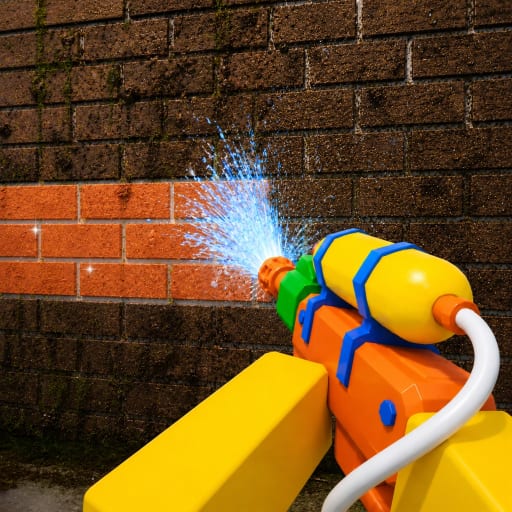
Wash The House Troubleshooting Guide
Practical fixes for stuck items, spray that will not clear, wrong-game confusion, missing code menus, and failed friend joins — verified in the live client.
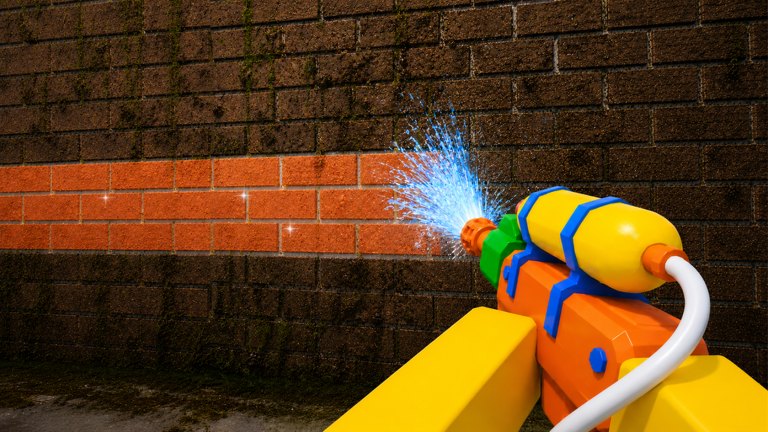
Every cleaning sim looks smooth in a trailer and messy in session three. Wash The House by Crystal Clean (released 2026-06-27, last Roblox Updated stamp around 2026-08-03 on the official page) is no exception. Props stick, stains linger, friends land in different servers, and someone in chat insists a code works when no redeem button appears anywhere. This troubleshooting guide collects the failures players report most often and tells you what to check inside the live game before you assume a bug or quit early.
We do not invent hidden menus or secret binds. When this page says “verify in client,” that means load Wash The House on Roblox, reproduce the issue once, and compare what you see to the steps below. Patch timing notes live on Latest Update.
Before deep fixes: confirm the correct game
Half of “broken” reports trace back to the wrong experience. Open the place page and confirm:
- Title Wash The House
- Group Crystal Clean
- Place ID 130960835358983
If any detail differs, you may be in Clean a House or another cleaner. Read Wash The House vs Clean a House and restart from the official URL. Codes, controls, and mansion layout on this wiki will not match a different title.
Stuck props and pickup issues
Symptom: You press E (PC) or RT (controller) and nothing picks up, or an item freezes mid-carry.
Checks:
- Drop and retry. Use G / LT to release, step back one tile, and pick up again. Carrying the wrong prop often blocks prompts on the correct one.
- Clear your lane. Another player may be holding the same object in co-op. Ask “who has the lamp?” instead of spamming pickup.
- Rotate awareness. Some seats expect a facing angle. Tap R on PC and re-approach the marker. Placement nuance is covered in Return Items.
- Finish clutter first. Knockover piles sometimes hide the interactable you actually need.
- Rejoin once. Roblox physics desync happens. A single reconnect after a stuck carry fixes many sessions.
If the prop is wrong entirely, drop it and fetch the right one — do not drag a dining chair across the whole mansion because you feel committed.
Wash not clearing / stains that will not break
Symptom: You spray forever; the dirt highlight or visual grime never finishes.
Checks:
- Return items before blaming the washer. Misplaced furniture casts shadows and blocks spray lines. Fix the room’s clutter pass first — see Return Items.
- Hit vertical surfaces. Baseboards, door frames, and chair legs often hold the last percentage. Rotate with R and walk the perimeter.
- Change distance and angle. Too close splashes one pixel; too far weakens impact. Power Wash Tips covers coverage patterns.
- Upgrade check. Early washer power genuinely cannot clear some panels quickly. Buy one meaningful upgrade, test on the same wall, then decide if it is gear or technique.
- Co-op overlap. Three friends on one cushion looks active and clears nothing. One nozzle per surface — see Co-op Tips.
- Verify live after patches. A stain behavior could change in a maintenance window. Compare your client to notes on Latest Update.
When a zone “looks clean” but the job will not advance, run wash and items status from the Cleaning Checklist. Half-finished returns fool the eye.
Wrong item / placement will not accept
Symptom: The silhouette or marker rejects every prop you try.
Checks:
- Drop the mismatch. Wrong category items never seat. G / LT, scan the room for the obvious outlier.
- Check upstairs vs downstairs variants. Similar props exist in multiple wings; color and size differ slightly.
- One carrier. Second grabber resets alignment. Let the item runner finish.
- Walk the marker slowly. Some prompts need you centered on the floor decal.
Still lost? Re-read the placement section in Return Items and finish one small zone completely before roaming.
Cannot find Codes UI / redeem menu
Symptom: Chat or a video promised codes, but no redeem field appears in your session.
Honest status: This wiki tracks no verified public active codes for Wash The House at writing time. Crystal Clean may add a redeem surface later; we document it only after players confirm it in the live client post-update.
Checks:
- Read Active Codes — we keep the empty state explicit instead of recycling strings from other games.
- Follow How to Redeem Codes when a verified UI exists. Do not hunt fake “Codes” buttons in unrelated menus.
- Confirm you are not in Clean a House — cross-game paste is the main source of “broken code” reports.
- After a Roblox Updated stamp, re-open the place once. New UI sometimes appears only after a fresh join.
Liking the experience or joining the Crystal Clean group is not a substitute for promo codes. Social prompts are explained in Like and Join Group.
Friend join failures
Symptom: Join is greyed out, or friends spawn in different instances.
Checks:
- Host must be fully in-game, not in menu or loading.
- Everyone uses place ID 130960835358983.
- Retry friends join twice; Roblox friend routing fails intermittently.
- Try private server if your group has one.
- Public fallback: host calls server population; friends join the same number quickly.
- Full walkthrough: Play With Friends.
Privacy settings belong to the host account. If joins never work, test with a public server rendezvous before blaming Wash The House itself.
Controls feel wrong
Symptom: Keys do nothing or do the wrong action.
Checks:
- Open Controls and read the published sheet: E pickup, G drop, R rotate washer on PC; RT pickup/place, LT drop, Y upgrades on controller.
- Confirm Roblox is not eating inputs (chat focused, overlay open).
- Switch input device once if binds swapped mid-session.
We do not document unverified rebind menus. Trust the live prompt labels after patches.
Performance and disconnects
Symptom: Lag spikes, rubber-banding, or disconnect mid-clean.
Checks:
- Lower graphics if the mansion stutters when spray particles stack in co-op.
- Reduce lobby size temporarily — 20 players with full effects stresses weak devices.
- Rejoin once; save mental note of which wing you abandoned so friends can float it.
Report patterns after 2026-08-03 updates on Latest Update if many players see the same regression.
When to stop troubleshooting and play
Not every friction point needs a forum thread. Use this escalation ladder:
- One room bug? Finish another zone; come back with fresh eyes.
- Repeated bug? Rejoin once.
- Still broken after rejoin? Compare with Getting Started loop — returns, wash, upgrades.
- Account or platform issue? Test solo in a quiet server before assuming co-op broke the game.
Related pages
Wash The House troubleshooting is mostly spatial discipline: right game, right prop, right spray angle, right server. Verify those four in the live client and most “broken” sessions turn back into progress.
Frequently Asked Questions
Quick answers for Wash The House cleaners.
Why will my power wash not clear a stain?
Usually clutter blocks spray, the angle misses vertical grime, or early upgrades lack power. Return items first, walk the perimeter with R rotate, then check Power Wash Tips.
What if an item is stuck and will not pick up?
Drop with G or LT, step back, and retry. In co-op, confirm no one else is holding the same prop. Rejoin once if physics desync persists.
Where is the Codes button in Wash The House?
There is no verified public active codes list yet. When Crystal Clean adds redeem UI, Active Codes and How to Redeem will document it after live verification.
Why can friends not join my server?
Host must be in-game on place 130960835358983, friends use Join on the session card, and privacy or full servers may require private server or a coordinated public slot.
Could I be troubleshooting the wrong game?
Yes. Confirm Wash The House by Crystal Clean, not Clean a House by cakehunterman. Wrong place ID explains most code and control mismatches.